
![[VIP] Unlimited Pass 2026.03.27](https://i.pinimg.com/1200x/d2/f8/2e/d2f82e903b9ca33b0f13704cc85a3d8a.jpg)


![[LS] ls.graphics Pass 2026.02.16](https://i.pinimg.com/1200x/8d/ca/7f/8dca7ff72d8b698f955649340d0ff398.jpg)

![[PRO] Craftwork Pass 2025.06.11](https://i.pinimg.com/1200x/98/d2/f0/98d2f0169226b431f4727441ecc6aa06.jpg)


![[VIP] Creovo: Creative Portfolio](https://i.pinimg.com/1200x/92/5d/39/925d39b614ae4e39adda25b73837f82b.jpg)


![[VIP] Voltz: Electric Car Website Template](https://i.pinimg.com/1200x/03/ba/41/03ba41513483727fcd26b95349750783.jpg)
![[VIP] Zyra: Coded Chat AI Dashboard](https://i.pinimg.com/1200x/ce/7b/92/ce7b926f22423fc046659dfe1dd7a604.jpg)
![[$] AlignUI: Code Library](https://i.pinimg.com/1200x/8d/91/1c/8d911c0a22483842cff69c130e80c37b.jpg)
![[VIP] The Grid Deck Template](https://i.pinimg.com/1200x/f2/df/6d/f2df6d865d31ed4400ddd74137a5a79e.jpg)

![[VIP] Solaris: Sales Forecast & Pipeline Review Deck](https://i.pinimg.com/1200x/ba/7c/48/ba7c485ac40a51054cf9074aead204e2.jpg)
![[VIP] Brand Guideline Presentation](https://i.pinimg.com/1200x/64/87/a7/6487a7c4da21072150a1664f83a6a234.jpg)


![[VIP] 44 Device Mockups: Metal Scene Pack](https://i.pinimg.com/1200x/96/0c/c4/960cc4d39f6f9f08c4ba4a40ae740a65.jpg)
![[LS] iPhone 17 Mockup](https://i.pinimg.com/1200x/18/42/c1/1842c11e3da971765bdcfbc5315f3df8.jpg)
![[LS] iPhone 17 Pro Max Mockups](https://i.pinimg.com/1200x/f0/2a/72/f02a724ed9f52ac4a1c66b5614809111.jpg)
![[LS] AE-Mockups, Apple Devices](https://i.pinimg.com/1200x/03/04/9b/03049ba79acaa546ae6389639f89bcc1.jpg)


![[VIP] Volnitsa: BLNDR MINI (2025)](https://i.pinimg.com/1200x/c3/f7/0a/c3f70ae1126be5c0af1977e58b56ba7a.jpg)

![[VIP] React Three Fiber: The Ultimate Guide to 3D Web Development](https://i.pinimg.com/1200x/78/02/1f/78021ffdfc8113cc8caba5b2c563ead4.jpg)
![[VIP] Ryan Hayward: Ultimate Framer Masterclass 3.0](https://i.pinimg.com/1200x/48/d6/3f/48d63f9723d7c49e6c34c182557c7431.jpg)


![[VIP] Whoooa! 156 vector Lottie animations](https://design.rip/uploads/cover/blog/whoooa-156-vector-animations.webp)


![[VIP] Staff Product Designer (ENG, RUS)](https://i.pinimg.com/1200x/0c/52/a0/0c52a08d8b0a25329806437933cf538f.jpg)


[VIP] 3D Modeling and Animation Techniques with Cinema 4D
Learn innovative techniques for modeling and animating 3D sculptures to make a Memphis-style GIF.

What will you learn in this online course?
Course table of contents
-
U1. Introduction
-
U2. The Tools to Create Animation
-
U3. Modeling the Sculpture
-
U4. Animation in Cinema 4D
-
U5. Retouching and Editing in Adobe Premiere Pro
-
FP Final project
Get to know your teacher Federico Piccirillo as he talks through his artistic career and the experiences that led him to become a 3D motion designer. See the wide variety of references that inspire his work, from advertising, art, and museums to animated feature films.
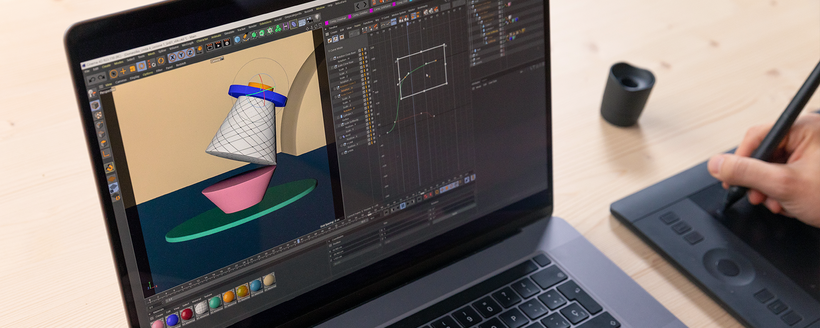
Next, look at the tools Federico uses to animate in Cinema 4D and discover how to combine several techniques and improve your workflow. Learn how to create a Soft Body simulation as well as build a versatile and realistic lighting set-up.
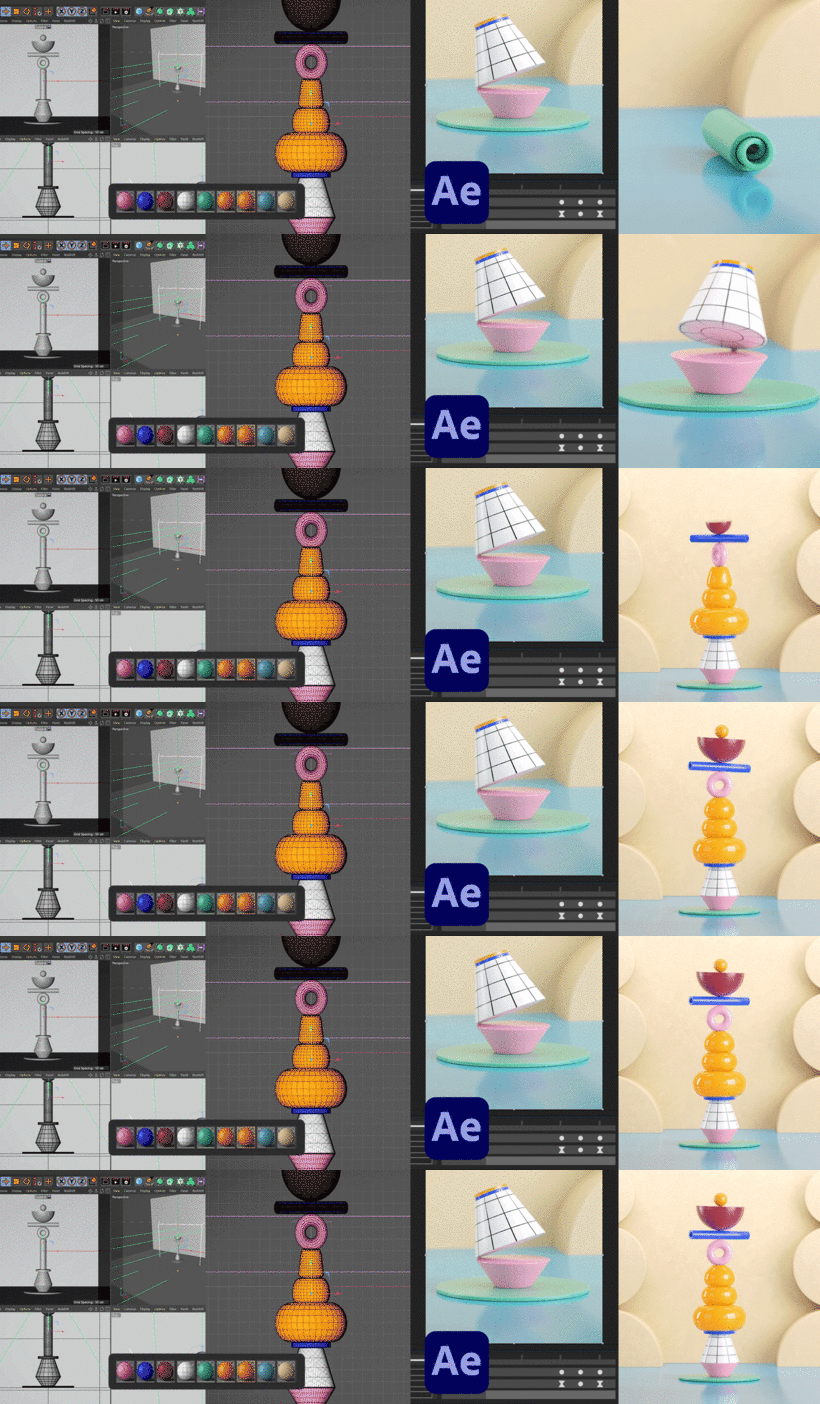
Now it's time to work on your final project. Federico teaches you how to model your sculpture before putting it in motion. Draw a sketch, put together a storyboard, and choose the colors and materials for your objects.
Once you've shaped your model, move on to animating it across multiple shots. Learn how to use Adobe Premiere to edit your sequence and integrate seamless transitions.
Polish secondary animations, double check lighting and materials, and create a high-quality render of your work. Then import your project into After Effects for the post-production phase. Do some final retouching and color correction on your render before exporting it to share on social media.
What is this course's project?
Create an animated GIF of a colorful, geometric sculpture in Cinema 4D.
Who is this online course for?
Anyone who wants to hone their animation skills in Cinema 4D.
Requirements and materials
A working knowledge of both Cinema 4D and Redshift is required for this course. You also need a computer with the software installed, as well as programs like Redshift, Adobe Premiere, and After Effects, although these can be substituted by other equivalent programs.
New to Adobe After Effects? In that case, we recommend taking Domestika Basics courses to learn how to use the software: Introduction to After Effects.
Content
-
U1
Introduction
-
Presentation
-
Reference models
-
-
U2
The Tools to Create Animation
-
Organizing a Realistic Light Set
-
Simulating a Soft Body with Deformers
-
How to Save Simulations
-
Dynamics, Vertex Weight and Alembics
-
Interface and Animation Curves
-
-
U3
Modeling the Sculpture
-
Rendering a Still Frame
-
Continuing to Model
-
Apply Colors and Materials
-
Object Manager, Shot and Light Set
-
Sketch and Storyboard
-
-
U4
Animation in Cinema 4D
-
Organizing the Work
-
Camera and Framing
-
Animating the Second Shot
-
Rendering of the Playblast
-
Alembics, Camera Framing and Animation
-
Soft Body
-
Animation of the Cones
-
-
U5
Retouching and Editing in Adobe Premiere Pro
-
Color Correction and Conversion
-
Working in After Effects
-
Render Settings and Final Rendering
-
Review Lights and Materials
-
Basic Rules for Smooth Transitions
-
Work on Secondary Animations
-
-
FP
Final project
-
3D Modeling and Animation Techniques with Cinema 4D
-
What to expect from a Domestika course
-
Learn at your own pace
Enjoy learning from home without a set schedule and with an easy-to-follow method. You set your own pace.
-
Learn from the best professionals
Learn valuable methods and techniques explained by top experts in the creative sector.
-
Meet expert teachers
Each expert teaches what they do best, with clear guidelines, true passion, and professional insight in every lesson.
-
Certificates
PlusIf you're a Plus or PRO member, get a custom certificate signed by your teacher for every course. Share it on your portfolio, social media, or wherever you like.
-
Get front-row seats
Videos of the highest quality, so you don't miss a single detail. With unlimited access, you can watch them as many times as you need to perfect your technique.
-
Share knowledge and ideas
Ask questions, request feedback, or offer solutions. Share your learning experience with other students in the community who are as passionate about creativity as you are.
-
Connect with a global creative community
The community is home to millions of people from around the world who are curious and passionate about exploring and expressing their creativity.
-
Watch professionally produced courses
Domestika curates its teacher roster and produces every course in-house to ensure a high-quality online learning experience.
What's Your Reaction?
 Like
1
Like
1
 Dislike
0
Dislike
0
 Love
1
Love
1
 Funny
0
Funny
0
 Angry
0
Angry
0
 Sad
0
Sad
0
 Wow
1
Wow
1


